10 bestTablet For Taking Handwritten Notesof November 2026
112M consumers helped this year.
1
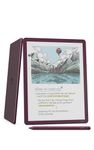
Amazon Kindle Scribe Colorsoft 64 GB (newest gen) — 11” paper-like colour display with front light — Thin, light, powerful — Write in the built-in notebook, documents and books - Fig
Amazon
9.9
2
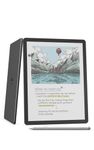
Amazon Kindle Scribe Colorsoft 64 GB (newest gen) — 11" paper-like colour display with front light — Thin, light, powerful — Write in the built-in notebook, documents and books - Graphite
Amazon
9.8
3

Amazon Fire Max 11 tablet (newest gen) and Stylus Pen, handwrite notes or doodle ideas anywhere, 128 GB, Grey, without Ads
Amazon
9.7
4
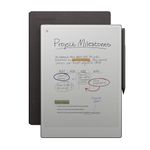
reMarkable Paper Pro Bundle – Mosaic Weave | Includes 11.8” reMarkable Paper Tablet, Marker Plus Pen with Eraser, and a Book Folio Cover in Mosaic Weave – Basalt
reMarkable
9.4
5
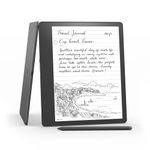
Kindle Scribe (2022 release) - 32 GB, the first Kindle and digital notebook, all in one, with a 10.2" 300 ppi Paperwhite display, with built-in notebook summarisation. Includes Premium Pen
Amazon
9.1
OtherUp to 22% off
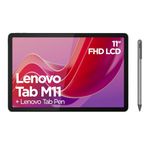
Lenovo Tab M11 Android Tablet | 11 Inch Full HD 1200p | 128 GB | Lenovo Tab Pen | WiFi | 4 GB RAM | Luna Grey | Designed for Portable Entertainment
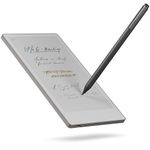
reMarkable Paper Pro Move | Ultraportable Colour 7.3" Paper Tablet with Marker Plus | The Digital Pocket Notebook for Productivity on the Go

Wacom One 14 Pen Display Tablet with Standard Pen – 14.0” Full HD Drawing Tablet with Battery-Free Stylus, Anti-Glare Screen, and Software Bundle – Compatible with Windows, macOS & ChromeOS
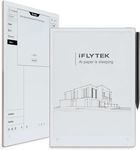
iFLYTEK AINOTE 2, 10.65" Large Screen Paper Tablet, 4.2mm Ultrathin Note Taking Tablet with Stylus Pen, Supports AI Voice-to-Text Transcription &16-Language Transcription for meeting Work&Study
6
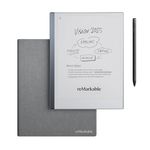
reMarkable Essentials Bundle – Mosaic Weave Folio | reMarkable 2 Paper Tablet | Includes Black and White 10.3” Writing Tablet, Marker Plus Pen with Eraser, Book Folio Cover in Grey Weave
reMarkable
8.8
7
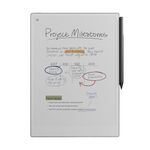
reMarkable Paper Pro Bundle – Includes 11.8” reMarkable Paper Tablet, and Marker Plus Pen with Eraser
reMarkable
8.5
8

reMarkable Essentials Bundle – Leather Folio | reMarkable 2 Paper Tablet | Black and White 10.3'' Writing Tablet, Marker Plus Pen with Built-in Eraser and Book Folio Case in Black Premium Leather
reMarkable
8.2
9

reMarkable Starter Bundle – reMarkable 2 is The Original Paper Tablet | Includes Black and White 10.3” Writing Tablet, Marker Plus Pen with Built-in Eraser
reMarkable
7.9
10

Wacom Intuos Pro Medium, the innovative pen tablet incl. Wacom Pro Pen 3, compact and lightweight - a versatile choice for illustrators, designers, and photo editors
Wacom
7.6
A Guide to Selecting the Best Tablet For Taking Handwritten Notes
When choosing a tablet for taking handwritten notes, it's important to consider how you'll be using the device. Are you a student who needs to jot down lecture notes quickly, a professional who needs to annotate documents, or an artist who wants to sketch ideas on the go? Understanding your primary use case will help you prioritize the features that matter most to you. Look for a balance between performance, display quality, and ease of use, ensuring that the tablet you choose can handle your note-taking needs efficiently and comfortably.
Display Size
Display size refers to the diagonal measurement of the screen. It's important because it affects how much space you have to write and how portable the tablet is. Smaller screens, around 7-9 inches, are more portable and easier to carry around, but they offer less writing space. Medium-sized screens, around 10-12 inches, provide a good balance between portability and writing area, making them ideal for most users. Larger screens, over 12 inches, offer more space for writing and drawing but can be bulkier to carry. Choose a size that fits your lifestyle and how you plan to use the tablet.
Stylus Support
Stylus support is crucial for taking handwritten notes as it determines how well the tablet can recognize and respond to pen input. A good stylus should offer pressure sensitivity, palm rejection, and low latency to mimic the feel of writing on paper. Basic stylus support may only offer simple note-taking capabilities, while advanced support can provide a more natural writing experience with features like tilt recognition and customizable buttons. Consider how important the writing experience is to you and whether you need advanced features for your note-taking tasks.
Screen Resolution
Screen resolution indicates the number of pixels on the display, affecting the clarity and detail of the content you see. Higher resolutions, such as 1920x1080 or above, provide sharper and clearer text and images, which can be beneficial for reading and writing detailed notes. Lower resolutions may suffice for basic note-taking but can result in less crisp visuals. If you plan to use the tablet for reading or annotating detailed documents, a higher resolution may be more suitable.
Battery Life
Battery life refers to how long the tablet can operate on a single charge. It's important for ensuring that the tablet can last through your work or study sessions without needing frequent recharging. Tablets with shorter battery life, around 5-7 hours, may require more frequent charging, which can be inconvenient if you're on the go. Longer battery life, 8-12 hours or more, is ideal for all-day use and ensures you can take notes without interruption. Consider how often you'll be using the tablet away from a power source to determine the battery life you need.
Operating System
The operating system (OS) determines the software environment and app availability on the tablet. Common OS options include iOS, Android, and Windows. iOS offers a smooth user experience with a wide range of note-taking apps, while Android provides more customization options and a variety of app choices. Windows tablets often support full desktop applications, which can be beneficial for users who need advanced software. Consider which OS aligns with your existing devices and software preferences, as well as the specific apps you plan to use for note-taking.
Storage Capacity
Storage capacity refers to the amount of data the tablet can hold, including apps, documents, and media. It's important to ensure you have enough space for your note-taking needs and any additional files you may store. Lower storage options, like 32GB, may be sufficient for basic note-taking and a few apps, while higher capacities, such as 128GB or more, are better for users who store large files or use many apps. Consider how much data you plan to store on the tablet and whether you need expandable storage options.

Best Reviews Guide Newsletter
Get exclusive articles, recommendations, shopping tips, and sales alerts
Sign up for our newsletter to receive weekly recommendations about seasonal and trendy products
Thank you for subscribing!
By submitting your email address you agree to our Terms and Conditions and Privacy Policy