10 bestTriple Laptop Extendersof November 2026
112M consumers helped this year.
1
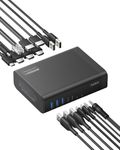
Belkin Connect 16-in-1 Docking Station 100W, Triple Display USB C Dock w/ 4K@60Hz Support, DisplayLink Technology - USB C Dock w/ 10Gbps Data Transfer, 2.5Gb Ethernet Port - Laptop Expansion Hub
Belkin
10.0
2

FlipGo Pro 16" Dual Portable Monitor, 2.5K Triple Laptop Screen Extender
JSAUX
10.0
35% off
3
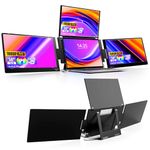
KPKUE 14" Triple Laptop Screen Extender, FHD IPS Multi Screen Extender with USB-C/USB-A, One Cable Connection Laptop Monitor Extender Compatible with Mac Windows Fits 11.6-15.6 Inch Laptops
KPKUE
9.9
15% off
4
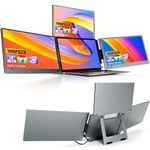
KPKUE 14" Triple Screen Extender, FHD IPS Laptop Screen Extender Monitor One USB-C cable Connecting, Dual Screen Laptop Compatible with 11.6" -15.6" Laptops(Mac Windows)
KPKUE
9.9
15% off
5
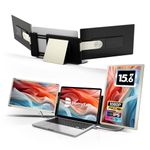
domyfan 15.6" Laptop Screen Extender, 120% sRGB FHD 1080P IPS Triple Portable Laptop Monitor Extender with Type-C USB HDMI Plug-Play for Mac, Windows, Chrome, Android, Fits All Laptops
domyfan
9.8
OtherUp to 42% off

StarTech.com Triple Monitor USB 3.0 Laptop Docking Station - 4K HDMI, 2x DisplayPort - Universal USB Dock for Windows & Mac OS (USB3DOCKH2DP)
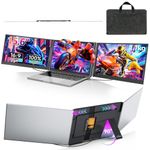
15.6" Laptop Screen Extender, 1080P FHD Triple Portable Monitor for Laptops, Ultra-Slim Travel Dual Monitor Fit for 13"-16.5" Laptops, Plug&Play Extended Screen Compatible with Win/Mac/Android
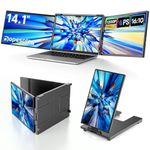
Dopesplay Laptop Screen Extender, 1200P FHD IPS Laptop Monitor Extender, Triple Dual Screen Monitore Compatible with Windows Mac Android Chrome Fits 13-17" Laptops
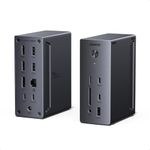
UGREEN 13-in-1 Laptop Docking Station, USB C Triple 4K Display Dock (2 HDMI+ DP, For Windows Only), 100W Max Laptop Charging, 10Gbps USB-C/A, Ethernet, SD/TF, Audio, 140W Adapter for Dell/Lenovo/HP
5% off
6
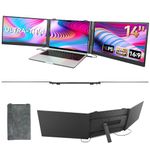
Newwin Laptop Screen Extender Ultra Thin Lightweight 14" FHD 1080P IPS Triple Laptop Monitor Extender Multi Portable Extra Extended Screen for 13.3-17" Laptops Compatible with Windows Chrome Macbook
Newwin
9.7
7
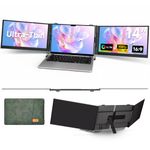
Triple Laptop Screen Extender, 2.2lb 14" FHD Ultra-Light Multiple Laptop Monitor Extender, Ultra-Thin Portable Monitors Attachable for 13.3-17" Laptops, Triple Screen Extender for Windows/Mac/Chrome
DZVW
9.6
8
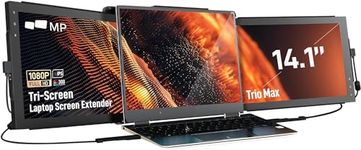
Mobile Pixels Upgraded Trio Max Portable Monitor, The On-The-Go Triple-Screen Laptop Monitor, 14" Full HD IPS Display, USB A/Type-C, Plug and Play, Sleek Design (Two Built-in Sliding displays)
MP
9.4
27% off
9
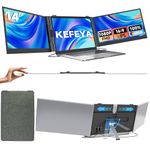
KEFEYA 14” Laptop Screen Extender, 100% sRGB FHD 1080P Portable Monitor for Laptop, Triple Screen Laptop Monitor Extender for 13–17.3" Laptops, Plug & Play for Windows/Mac/Android/Switch/PS5
KEFEYA
9.2
5% off
10
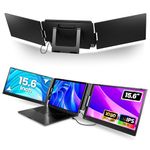
KPKUE 15.6" Laptop Screen Extender Just One Cable for Triple Screen Monitor, FHD Multi Screen Attachment IPS Portable Tri Screen Monitor Fits with 12''-16'' Laptop (Mac Windows Chrome)
KPKUE
9.0
A Guide to Selecting the Best Triple Laptop Extenders
When looking to purchase a triple-laptop extender, it's important to consider how it will enhance your productivity by allowing you to expand your laptop's display across multiple screens. This can be particularly useful for multitasking, gaming, or professional work that requires multiple applications to be open simultaneously. To choose the best triple-laptop extender for your needs, you should focus on several key specifications that will determine the performance and compatibility of the extender with your laptop.
Compatibility
Compatibility refers to whether the extender can work with your specific laptop model and operating system. This is crucial because not all extenders are universally compatible. They may require specific ports like USB-C, HDMI, or DisplayPort, and may only support certain operating systems like Windows or macOS. To navigate this, check the ports available on your laptop and ensure the extender supports them. Also, verify the operating system compatibility. Choose an extender that matches your laptop's specifications to ensure seamless integration.
Resolution Support
Resolution support indicates the maximum display quality the extender can handle. This is important because it affects the clarity and detail of the images on your screens. Extenders typically support resolutions ranging from 1080p (Full HD) to 4K (Ultra HD). If you need high-definition displays for tasks like video editing or gaming, opt for an extender that supports higher resolutions like 4K. For general productivity tasks, 1080p might suffice. Consider what you will be using the extender for to determine the appropriate resolution support.
Refresh Rate
The refresh rate is the number of times the display updates with new information per second, measured in hertz (Hz). A higher refresh rate results in smoother motion, which is important for gaming or video playback. Common refresh rates are 60Hz, 120Hz, and 144Hz. If you are a gamer or work with fast-moving video content, a higher refresh rate like 120Hz or 144Hz is beneficial. For standard office work or browsing, 60Hz is typically adequate. Choose based on the type of content you will be viewing most often.
Portability
Portability refers to how easy it is to transport the extender along with your laptop. This is important if you frequently travel or work in different locations. Some extenders are designed to be lightweight and compact, making them easy to carry in a laptop bag. Others might be bulkier but offer more features. Consider how often you will need to move the extender and choose one that balances portability with the features you need.
Power Source
The power source specification indicates how the extender is powered. Some extenders draw power directly from the laptop via USB, while others require an external power source. This is important for convenience and mobility. If you prefer fewer cables and a more portable setup, look for an extender that can be powered through your laptop. However, if you need more power for higher performance, an externally powered extender might be necessary. Consider your typical usage environment and choose accordingly.

Best Reviews Guide Newsletter
Get exclusive articles, recommendations, shopping tips, and sales alerts
Sign up for our newsletter to receive weekly recommendations about seasonal and trendy products
Thank you for subscribing!
By submitting your email address you agree to our Terms and Conditions and Privacy Policy